How to protect yourself against common payment and credit card scams
Most of us can spot the email from overseas royalty promising an inheritance. Many scams are far less obvious. Here are the five payment scams that most often target businesses, how to recognise them and what to do.
Why scams are harder to spot
Australians rely more and more on the internet and digital services in their personal and working lives, which makes keeping important information confidential increasingly challenging.
Scammers have a huge online presence. They are knowledgeable, use sophisticated software and are notoriously persistent in going after data.
When this article was first published, the Australian Competition and Consumer Commission (ACCC) had reported $211 million lost to scams in 2021 up to that point, compared with $175.6 million reported for the whole of 2020.
As scams become a growing concern for consumers and business owners alike, staying vigilant is crucial. Knowledge is power, so here are the scams that most commonly affect businesses.
1. False billing
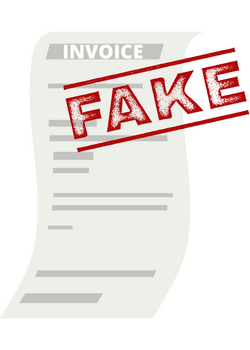
Businesses regularly receive fake invoices, letters or invitations to take part in sham schemes or bogus advertising directory listings. More than $13 million was lost to false billing alone in 2020.
These documents are usually sent to an administrator or front office manager, who may not be sure whether the services were actually provided to the business.
Scammers also make phone calls. They will persistently confirm a booking or an advertising renewal, or insist that goods or services were ordered. Some calls turn to intimidation and threats of legal action if you refuse to pay.
How to protect your business
- Stay assertive and hang up immediately.
- If you are unsure whether the call is genuine, look up the organisation the caller claimed to represent and contact it directly.
- Report the scam if necessary.
- Train your staff to identify scams, and make sure they know who to ask if they are unsure.
2. Phishing and whaling
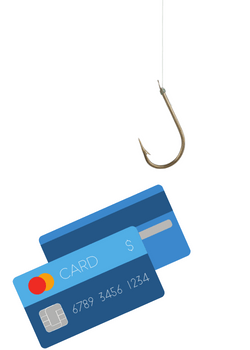
Phishing is when a scammer contacts you claiming to be from a legitimate business, such as a bank, internet provider, freight company or telephone company, and asks you to provide or confirm personal details. It can come by email, text, phone call or social media.
To look authentic, scammers often copy a company's format, logo or branding. They may ask you to fill in a survey with personal information, or warn you of "unusual overseas purchasing activity" and ask you to confirm your bank account or credit card details.
Signs that an email is a phishing attempt:
- The sender's domain has a misspelt brand name, or the email comes from a generic address.
- A generic greeting such as "Dear Valued Customer" or "Sir/Madam".
- No contact information in the signature block. An organisation you have a relationship with will address you by name and give its contact details.
Whaling scams are more planned and deliberate. They target specific businesses using detailed information and background research, sometimes emailing senior staff or C-suite executives directly to capture confidential information for fraud.
Giving sensitive information such as credit card details over the phone or by email lets scammers commit fraud or identity theft, and even steal your money.
How to protect your business
- No matter how convincing the caller or how authentic the email looks, never give out personal details.
- Check the sender's domain, greeting and signature before acting on any request.
3. Malware and ransomware
Scammers are increasingly sophisticated in how they capture confidential details online, and malware and ransomware help them do it.
These scams usually arrive by email or message with an attractive offer or topical news update that tempts you to open an attachment or click a link. The attachment is malware. Once installed, it can give scammers access to all your files, or even let them watch you through your computer. As with phishing, any credit card details they find are then used for fraud.
Ransomware blocks or limits your access to your own computer, and the scammers demand a ransom, either a payment or your credit card details, to "unlock" it. There is no guarantee you will get your data or computer back, even if you pay.
How to protect your business
- Never open attachments from contacts you do not know.
- Be wary of invoices that look like they come from a company you deal with; scammers can imitate them convincingly.
- Install malware prevention and protection software, such as McAfee or Norton.
4. Overpayment scams
Online businesses are a frequent target. The scammer pays far more than the agreed price, then contacts you with an excuse, such as miscalculating the GST or adding one too many zeros.
The payment may never have been made, backed only by a fake receipt, or it may have been made with a stolen credit card. The scammer then says the payment will be held until you send back the excess, and asks you to refund it through a third party, such as an online bank transfer or a preloaded card.
How to protect your business
- Never agree to send money to a customer by any method other than the original source of payment.
- If you use an eCommerce platform such as WooCommerce or Shopify, only ever refund to the original payment method, never by internet banking transfer.
- State this in your website terms and conditions so you can point to it whenever a customer (or, more likely, a scammer) asks.
5. Investment scams
Quick, high returns with little risk? If it sounds too good to be true, it probably is, and you may be the target of an investment scam.
As cryptocurrencies have grown in popularity, so have scams inviting you to trade or invest in them. Scammers advertise on social media and offer to trade on your behalf, or send you to a website or app to enter your details. These so-called trading platforms then send fake updates on your "profits", make it hard to withdraw money, or simply shut down.
Other investment scams come from unsolicited contacts claiming to be stockbrokers or portfolio managers. They offer opportunities that sound legitimate, use professional-looking websites and lie about their credentials.
How to protect your business
- Always do your research, and check with government regulators whether the person is licensed.
- Speak to an independent financial adviser for an objective, professional opinion.
- Do not commit to anything by phone or email. Investment scammers are persistent and may keep contacting you until you invest.
Stay vigilant and aware
Scams arrive by email, text and phone, through whatever channels you use, and they are designed to catch you off guard.
- If you are in doubt, there is probably a good reason. If an offer sounds too good to be true, it most likely is.
- Showing even a hint of interest makes scammers more persistent, so be assertive and end contact as soon as possible.
- Seek professional advice straight away, from your financial adviser, accountant or lawyer.
- Report the scam to the appropriate government authorities and regulators where needed.
Scams succeed by exploiting people's vulnerabilities and lack of awareness, and new ones are constantly devised. Reporting incidents helps other businesses understand how to protect themselves.
Protect your business with B2Bpay
With so many types of scams, and scammers getting better at capturing data online, it is crucial to safeguard your business and its payment processing.
B2Bpay is a secure online payment portal for businesses to pay bills with their existing credit cards, debit cards or bank accounts. It is a cloud-based payment system that:
- Does not collect or store full card numbers.
- Uses card tokenisation for maximum security.
- Is PCI DSS (Payment Card Industry Data Security Standard) compliant.
- Uses SSL/TLS (https) encryption between our servers and your browser.
- Uses merchant facilities provided by leading financial institutions, including Westpac and American Express.
- Encrypts your data.
- Is 100% Australian owned and operated.
- Is built on a robust .NET platform.
- Is hosted by Microsoft in its Sydney and Melbourne data centres.
B2Bpay is also a secure way to receive payments. As a B2Bpay Biller you can send invoices directly to customers, and all credit card details are protected by tokenisation, so you can be confident your customers' payment data is secure. See receiving payments.
Keeping cyber security a top priority
Whether you are making payments or receiving them, B2Bpay's security features help protect your business from online scams, so you have peace of mind that card details and other important data are not lost or stolen, on every transaction. Read more in is B2Bpay safe?
Stay vigilant and keep scammers away from your business and your customers. Sign up for B2Bpay today. It's free.
Have questions or need more information? Contact our locally based Customer Support team on 1300 205 575.
Frequently asked questions
How can I tell if an email is a phishing scam?
Check the sender's domain for a misspelt brand name or a generic address, look for a generic greeting such as "Dear Valued Customer", and check whether the signature has contact details. An organisation you deal with will address you by name and give its contact information.
What should I do if a customer overpays and asks for a refund?
Only refund to the original source of payment. Never agree to send the excess by internet banking transfer, a preloaded card or another third party, and state this rule in your website terms and conditions.
Should I pay a ransomware demand?
There is no guarantee you will get your data or computer back, even if the ransom is paid. Prevention is the best protection: do not open attachments from unknown contacts and use malware protection software.
Does B2Bpay store my full card number?
No. B2Bpay does not collect or store full card numbers. Cards are tokenised and the platform is PCI DSS compliant. See is B2Bpay safe?
Pay and get paid securely
Tokenised cards, PCI DSS compliance and an Australian support team. Sign up for free.