Pay suppliers by card
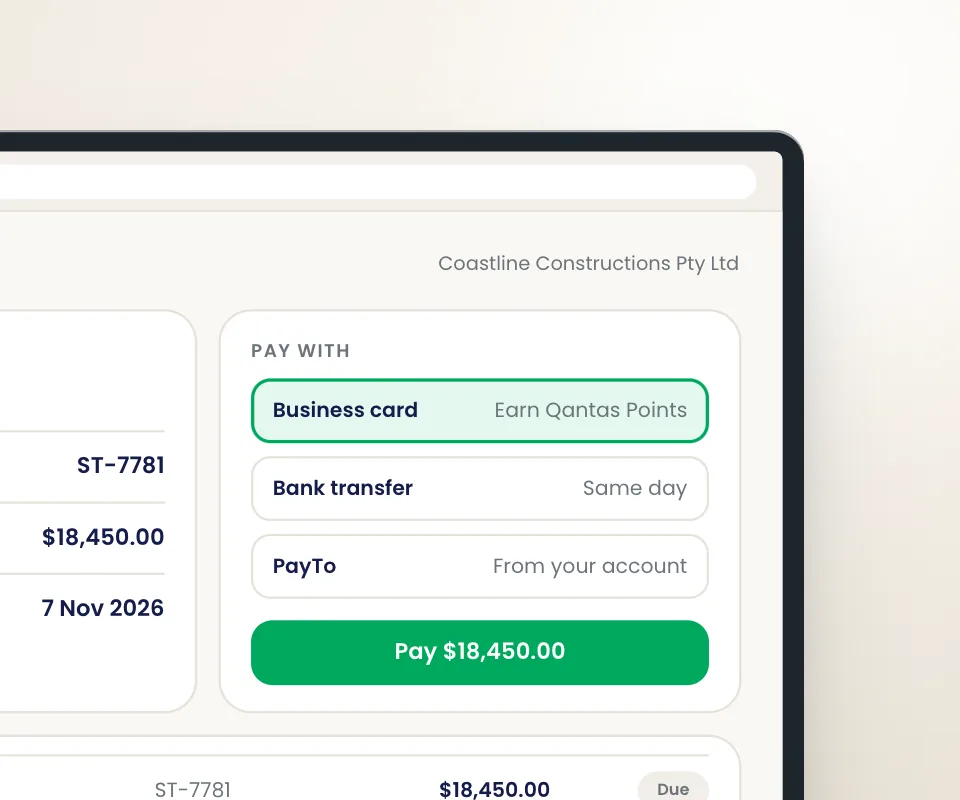
Pay suppliers with your credit card, even if they don’t accept card payments.
Pay suppliers, schedule invoices and manage your business expenses in one place while earning rewards on payments.


 Bank account


Pay suppliers with your credit card, even if they don’t accept card payments.
Earn full credit card reward points plus Qantas Points* or B2B Points on all business expenses.
Earn points on BAS, government, telco, insurance and utility payments.
Save time with seamless Xero, MYOB and QuickBooks integration.
Up to 55 days interest-free on your credit card.
Card tokenisation helps protect your information.
Make one-off, bulk, automatic or future-dated payments with B2Bpay.
Click Get started and follow the prompts. You can also book a demo with the team to see how it works.
Request to set up or select a payee. You can also connect your accounting platform to auto-load all your bills.
Set up one-off, bulk, automatic or future-dated payments, with auto reconciliation through Xero, MYOB or QuickBooks.
Earn maximum credit card reward points plus Qantas Points* or B2B Points when you pay your business expenses via B2Bpay.
B2Bpay lets you pay suppliers, the ATO, rent and every other business bill from one place, by card, bank account or PayTo. Pay suppliers who do not accept cards, keep full card points, earn B2B Points and hold cash for up to 55 days.
Short answer: Almost any Australian business bill: suppliers, the ATO (BAS, PAYG, income tax), rent and strata, utilities, insurance, telco and council rates. Pay by Visa, Mastercard, Amex, bank account or PayTo, and the payee receives EFT or BPAY.
The payee does not need to accept cards. You pay B2Bpay, B2Bpay pays them in their normal way with your reference, usually within 3 business days. Nothing changes on their side.
Card scheme rules exclude a few payment types, such as paying yourself or a related entity, or repaying finance. See what you cannot pay.
Register, add payees, pay. Everything else is optional.
Quick registration. Sign up at points.b2bpay.com.au and add a card or bank account to your wallet. If you would like a walkthrough, get started with the team.
Set up your payments. Search for a payee or add a new one with their bank or BPAY details. Or connect your accounting software and approved bills load automatically.
Pay the way you like. One-off, bulk, recurring or future-dated payments. Choose a different payment method per payee if you want, for example Amex for suppliers and bank account for the card bill.
Earn. Full card points plus B2B Points on the Earn plans, credited 5 days after payment. Read how B2Bpay works step by step.
A platform fee per payment, ex GST, and no monthly fee stated.
| Payment method | Essential No B2B Points | Earn Plus 1 B2B Point per $2 | Earn Max 1 B2B Point per $1 |
|---|---|---|---|
| Visa / Mastercard | 1.10% | 2.10% | 2.50% |
| American Express | 2.10% | 3.40% | 3.85% |
| Bank account | 0.50% | 1.00% | 1.87% |
| PayTo | 0.60% | 1.10% | 1.97% |
Platform fees ex GST, as published at b2bpay.com.au. The exact fee is shown before you confirm each payment.
Amex Essential pricing is tiered down to 1.90% above $1,000,000 a year. The fee is a platform fee for the service, shown on your tax statement and generally a business expense; confirm with your accountant. Details at pricing and what's included.
More than 40,000 Australian businesses, from sole traders to multi-site operators.
The Shower Man Melbourne runs around 80% of its spend through B2Bpay on Amex and earns around 2 million points a year. WebEagles, a Sydney digital agency, pays ATO, rent and contractors through B2Bpay and has flown the family to New Zealand and South Africa on the points. Billy and Paula pay gym franchise rent, contractors and suppliers through B2Bpay and travel overseas every year.
Read the stories: The Shower Man Melbourne, WebEagles, Billy and Paula.
B2Bpay passes payments to payees within 3 business days by EFT or BPAY. Your payment history shows the settlement date for each payment. Future-dated payments let you choose when the payment is processed so it lands when you need it to.
Yes. Bank account payments cost 0.50% on Essential, 1.00% on Earn Plus and 1.87% on Earn Max, and PayTo 0.60%, 1.10% and 1.97%, ex GST. You still earn B2B Points on the Earn plans. Many customers use bank account or PayTo to pay their card bill through B2Bpay and earn again.
Yes. B2Bpay supports multiple user logins, so your bookkeeper, accountant or finance team can set up and make payments in the same account. Payments and fees are recorded to your connected accounting software for easy reconciliation. Each user has their own credentials, so there is no password sharing.
Your payment history shows every payment with processing and settlement dates and can be filtered by period. You can download your tax statement from the portal, and export payment history for your records if you have not connected accounting software.
Yes. B2Bpay is PCI DSS compliant and cards are tokenised, so full card numbers are never stored. Payee bank accounts are verified, the team is Australian-based and data is kept onshore. See is B2Bpay safe. Full card numbers are never displayed or stored.
Join B2Bpay for free to pay all your business bills and be rewarded along the way.
*A Qantas Business Rewards membership is required to earn Qantas Points. Terms apply.