PayTo: the new and faster way to make payments
Pay your business expenses straight from your bank account with PayTo and B2Bpay. Your suppliers are settled the same or next business day, you stay in control from your banking app, and you are rewarded with Qantas Points.
What is PayTo?
Short answer: PayTo is a digital payment method offered by banks, financial institutions and payment service providers in Australia. It lets you make payments directly from your bank account, and you approve, pause or cancel each PayTo agreement in your own banking app.
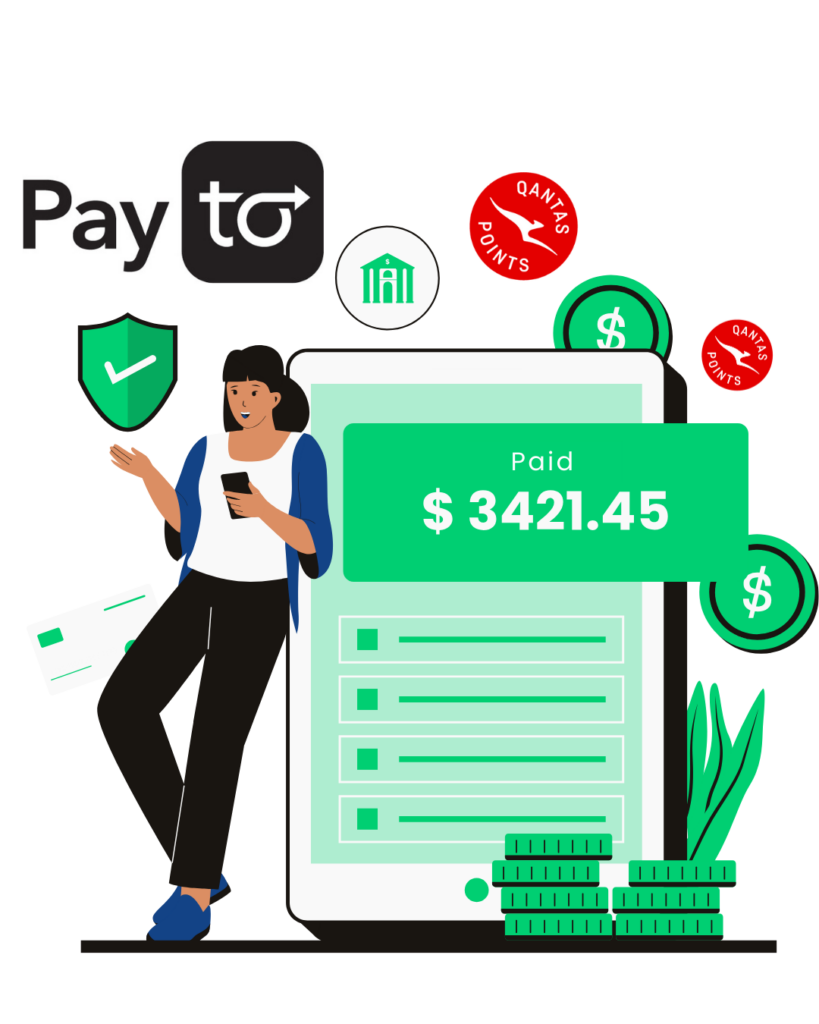
With B2Bpay you add PayTo to your B2Bpay wallet once, approve it in your bank's app, and then use it to pay your suppliers and billers. Your payee is settled faster than with a traditional bank account or card payment, and you earn points on what you pay.
You can see your PayTo agreements in your mobile banking app or online banking account. You can pause, cancel and make certain changes to them there too.
PayTo benefits
How PayTo works
Make one-off, bulk, automatic or future-dated payments in four steps.
- Quick and simple set-upAdd PayTo as a new payment method in your B2Bpay wallet.

- Authorise PayToLog in to your bank's app or online banking and approve the PayTo agreement.

- Make a payment with PayToStart paying your suppliers with faster settlement using PayTo.
- Boost your pointsChoose Points Accelerator PLUS on your PayTo payments to earn even more Qantas Points.*

Earn Qantas Points every time you pay with PayTo
On B2Bpay's Qantas pathway (earn.b2bpay.com.au), Qantas Points go straight to your Qantas Business Rewards account. Choose the rate per payment:

Qantas Points on the Qantas pathway are credited by the 14th day of the month after the payment.
Prefer B2B Points?
On B2Bpay's B2B Points plans (points.b2bpay.com.au), PayTo costs 0.60% on Essential, 1.10% on Earn Plus (1 B2B Point per $2) and 1.97% on Earn Max (1 B2B Point per $1), ex GST. B2B Points convert to Qantas Points 1:1. See B2B Points to Qantas Points and pricing. The exact fee is shown before you confirm each payment.
How long does a PayTo payment take?
| When the payment is processed | When your supplier is settled |
|---|---|
| Before 8am on a business day | The same day |
| After 8am | The next business day |
That is up to 3 business days faster than traditional bank account settlement.
How to authorise a PayTo agreement
- Log in to your mobile banking app or online banking account.
- Find the page or section where your bank shows your PayTo agreements. An agreement waiting for you is marked "Pending authorisation" or similar.
- Open the agreement to review the payment terms.
- If the terms and details are correct, click "Approve" or similar. The agreement is then marked "Active" or similar.
Can't find it? Search "PayTo" in your banking app or online banking. If you still have trouble finding or approving the agreement, contact your bank. The B2Bpay team is on hand to help where it can on 1300 205 575.
Don't just take it from us
Reviews posted on Google by B2Bpay customers.
"The response was very prompt, and my application was processed quickly. All done quickly by Anna Banno."
"Great service from all team members, prompt and reliable assistance (thanks Matthew Maurice :)) and the best bit is as a merchant we don't get charged for accepting payments for our services! All good, thank you."
"At TFH Mid North Coast, we've recently come on board with B2B Pay and couldn't be happier. Running a busy business, we needed a payment solution that was simple and reliable, and B2B Pay has delivered exactly that. Making payments is quick and stress-free, which saves us valuable time day-to-day. A special mention to Matt, who has been fantastic to deal with. He made the whole process seamless and easy from the start. We're already seeing the benefits and know it will continue to support our growth moving forward. Highly recommend B2B Pay to any business looking for an efficient and straightforward solution."
"Daniel was incredibly helpful and knowledgeable in ascertaining our needs as a new user. He was patient and reassuring, making sure that I understood each segment before moving on to something else. Thanks Daniel, you were great!"
"I have recently set up B2B Pay for our business and Anna Banno was great to work with. She made this whole process as simple as possible and was always available to help out when required during the set-up stages. I would highly recommend Anna and B2B Pay. Thanks for your help, Tony."
"I have used B2BPay for 8 years and love the simplicity of how they work. Anna Banno has been my main contact for most of these years and is fantastic at her job and has made it so easy to work with B2BPay."
"A huge thank you to Anna Banno for her outstanding support in getting our B2B Pay system up and running. Anna made what could have been a complex and time-consuming process feel simple, efficient, and stress-free. Her knowledge, professionalism, and attention to detail ensured everything was set up correctly and smoothly from the start. She explained each step clearly, answered every question with patience, and followed through to make sure we were fully supported throughout. Anna is an absolute asset: organised, proactive, and a pleasure to work with. We're incredibly grateful for her help and wouldn't hesitate to recommend her to anyone needing expert assistance with B2B payment systems."
"Took a bit of setting up, but worth it. The team made it a much easier process than I anticipated."
"Excellent customer service and support. Thank you so much Matthew. Your constant support and dedication has helped our companies immensely. We really appreciate it. Highly recommend."
"The team at B2B pay have been extremely supportive over the past 7 years and we always appreciate your professionalism. Thanks Mathew."
Important information
B2Bpay is owned and operated by Zenith Payments Pty Ltd, a payment processing business based in Mascot, Sydney. Payment processing and merchant acquiring facilities are provided by Westpac, American Express and other leading financial institutions. More details about Zenith Payments.
On the Qantas pathway, a standard and tax-deductible credit card processing fee (from 1.2% excl. GST) or a bank account processing fee (from 0.65% excl. GST) applies to all payments. The applicable fee is displayed when you set up a biller and when you make a payment.
* A business must be a Qantas Business Rewards Member to earn Qantas Points for business. A one-off join fee of $89.50 including GST normally applies, but it is waived for B2Bpay customers who join using this link. Membership and Qantas Points are subject to the Qantas Business Rewards Terms and Conditions. Qantas Points for business are offered under the B2Bpay Customer Terms and Conditions.
Members earn 1 Qantas Point for every $7 paid to the ATO by card, 1 Qantas Point for every $10 paid to all other billers by card, 1 Qantas Point for every $3 paid to a biller by bank account or PayTo (Standard), and 1 Qantas Point for every $1 paid to a biller by bank account, PayTo or card with Points Accelerator PLUS (accelerated). Members can also earn up to 3 Qantas Points per $1.50 paid to B2Bpay Bonus Billers; see the current list of Bonus Billers.
Qantas Points are credited to the Member's Business Rewards account by the 14th day of the month following the eligible spend. Any claims about Qantas Points under this offer must be made directly to B2Bpay by emailing support@b2bpay.com.au. Businesses must make sure the ABN registered with Qantas Business Rewards is saved in their B2Bpay customer profile, or entered online when paying, to earn Qantas Points.
Frequently asked questions
What is PayTo?
PayTo is a payment method (or "digital payment solution") offered by banks, financial institutions and payment service providers in Australia. It lets you make payments directly from your bank account. You can see your PayTo agreements in your mobile banking app or online banking account, and pause, cancel and make certain changes to them there too.
How much does PayTo cost?
On the Qantas pathway: PayTo Standard (1 Qantas Point for every $3) is 0.85% + GST, and PayTo with Points Accelerator PLUS (1 Qantas Point for every $1) is 2.25% + GST. On the B2B Points plans, PayTo is 0.60% (Essential), 1.10% (Earn Plus) or 1.97% (Earn Max), ex GST. The exact fee is shown before you confirm each payment.
How long does PayTo take to process?
Transactions processed before 8am on business days are settled to your supplier the same day. Transactions processed after 8am are settled the next business day. That is up to 3 business days faster than traditional bank account settlement.
What if my bank account doesn't support PayTo?
PayTo is currently available for most bank accounts across Australian banks, financial institutions and credit unions. When you add PayTo to your B2Bpay wallet, B2Bpay will tell you if your bank account supports it. If you need more help, check with your financial institution whether it supports PayTo on your account, or when it will.
How do I authorise a PayTo agreement?
Log in to your mobile banking app or online banking and find the section that shows your PayTo agreements. One that needs your approval is marked "Pending authorisation" or similar. Open it to review the payment terms, and if they are correct click "Approve" or similar; it will then show as "Active". If you cannot find it, search "PayTo" in your banking app. If you still have trouble, contact your bank; the B2Bpay team is on hand to help where it can.
Pay suppliers faster with PayTo
Add PayTo to your B2Bpay wallet once, then pay one-off, bulk or scheduled bills and earn points.