Pay invoices by credit card
Pay supplier invoices with your credit card, even if your supplier does not accept cards directly.
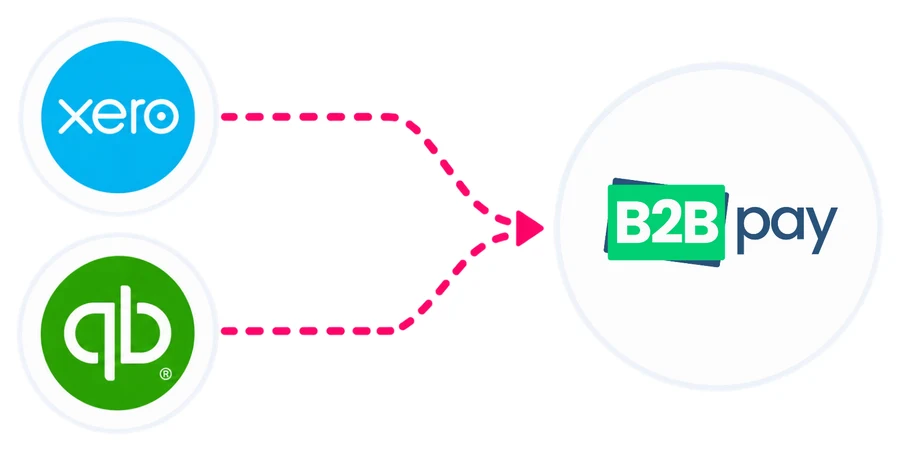
Connect your Xero account to automatically sync invoices, pay suppliers in just a few clicks and keep your accounts up to date with seamless reconciliation.


 Bank account


Pay supplier invoices with your credit card, even if your supplier does not accept cards directly.
Earn your credit card reward points on eligible business payments.
Earn bonus rewards on top of your credit card reward points.
Invoices in Xero automatically appear in your B2Bpay dashboard.
Once a payment is completed, transaction details sync back to Xero.
Manage and track all your supplier payments in one place.
Businesses using Xero are simplifying invoice payments and reconciliation with B2Bpay.
“I have used B2Bpay to pay my tax bills for a year or so. I recently connected to Xero and now all of my bills from Xero are displayed when I log in. I can easily choose the bills I want to pay with credit card and when. This has been great for managing cash flow and earning credit card reward points.”
“It was really easy to get set up to receive payments through B2Bpay. I connected to Xero within B2Bpay and the Pay Now button on my Xero invoices automatically added Pay with B2Bpay. My clients can now easily pay with credit card, in addition to bank transfers.”
With B2Bpay you can connect your Xero account to sync bills automatically, pay suppliers in a few clicks and keep your accounts up to date with simpler reconciliation, while earning Qantas Points or B2B Points.
Short answer: Connect your Xero account to B2Bpay and your Xero bills sync into B2Bpay, ready to pay in a few clicks by card, bank account or PayTo. When a payment is made, the details sync back to Xero so your accounts stay up to date with less reconciliation work.
I want to earn:
B2Bpay has two ways to be rewarded on the business payments you make through Xero. Choose the one that suits your business.
The connection works in both directions. On the payables side, your approved Xero bills load into B2Bpay so you can pay suppliers, even those who do not accept cards. On the receivables side, a payment option on your Xero invoices lets customers pay you by card, and the receipt is recorded against the invoice in Xero.
Six reasons come up most often:
Want to earn Qantas Points specifically? See earn Qantas Points with B2Bpay and Xero. For setup screens, accounts and reconciliation, see the Xero integration FAQs.
Sign up to B2Bpay, then connect Xero from inside your account: authorise access and choose a Payment Account (the card or bank account you pay with) and an Expense Account for B2Bpay fees. Your approved Xero bills then appear ready to pay. If you also want to get paid through B2Bpay, connect Xero from your biller profile so your invoices carry a "Pay with B2Bpay" option.
The team can walk you through either connection on 1300 205 575. The same approach works for MYOB and QuickBooks; see pay bills from Xero, MYOB or QuickBooks.
Businesses using Xero are simplifying invoice payments and reconciliation with B2Bpay. Two of them, in their own words:
"I have used B2Bpay to pay my tax bills for a year or so. I recently connected to Xero and now all of my bills from Xero are displayed when I log in. I can easily choose the bills I want to pay with credit card and when. This has been great for managing cash flow and earning credit card reward points."
"It was really easy to get set up to receive payments through B2Bpay. I connected to Xero within B2Bpay and the 'Pay Now' button on my Xero invoices automatically added 'Pay with B2Bpay'. My clients can now easily pay with credit card, in addition to bank transfers."
No. You can add payees and pay bills directly in B2Bpay, and the team can help you put a payment link on any invoice template. Connecting Xero simply saves data entry by loading bills and recording payments automatically. B2Bpay also integrates with MYOB and QuickBooks.
You earn your card's own reward points, plus B2B Points on the Earn plans: 1 per $1 on Earn Max and 1 per $2 on Earn Plus. B2B Points convert 1:1 to Qantas Points or Velocity Points. See B2B Points, or earn Qantas Points with Xero.
Yes. Connect Xero from your B2Bpay biller profile and your Xero invoices show a "Pay with B2Bpay" option that opens your branded payment page. When a customer pays, Xero marks the invoice paid. Funds arrive by EFT within 3 business days. See accept card payments.
The Xero integration FAQs cover connecting for bills and for receiving payments, choosing the Payment and Expense Accounts, the B2Bpay Clearing Account and reconciliation. Or call the team on 1300 205 575.
Join B2Bpay for free to pay all your business bills and be rewarded along the way.
*A Qantas Business Rewards membership is required to earn Qantas Points. Terms apply.