Accept card payments on your Fergus invoices
Do you use Fergus job management and Xero? Connect B2Bpay to accept card payments on your invoices, have payments sync back to Xero and Fergus automatically, and earn Qantas Points for getting paid.
How do Fergus, Xero and B2Bpay work together?
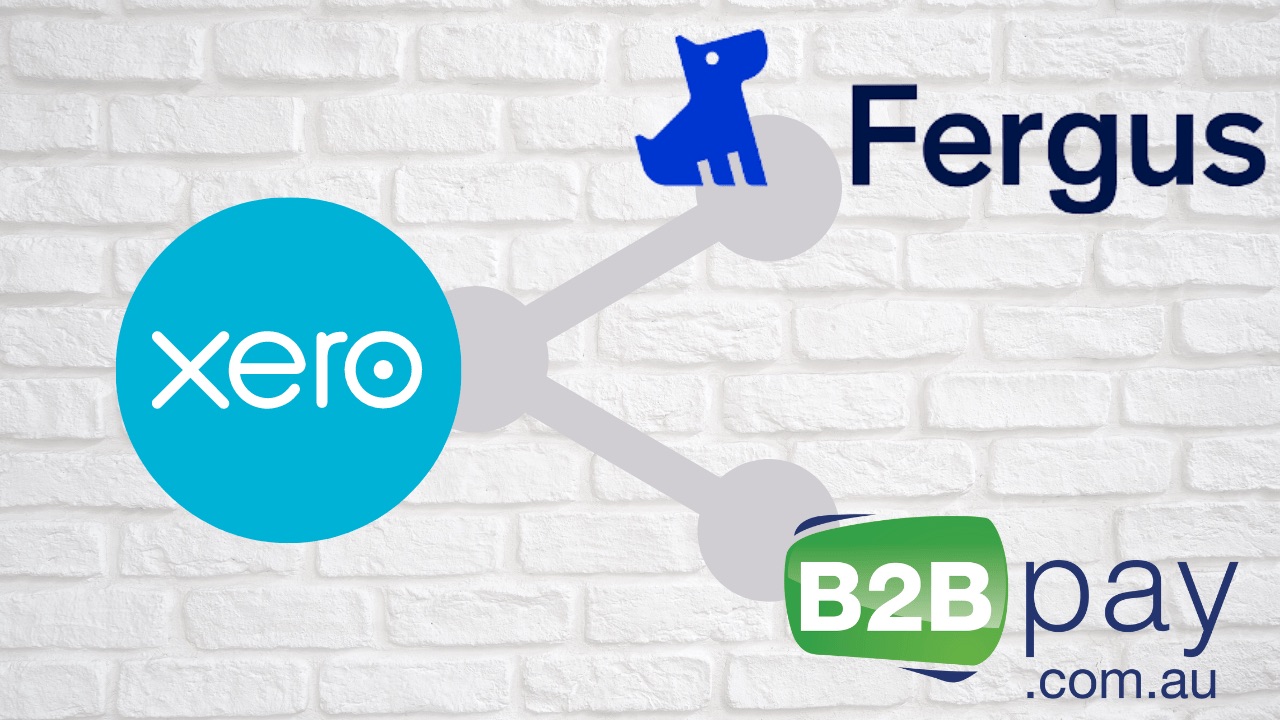
Short answer: You keep creating invoices in Fergus as usual. Fergus syncs them to Xero, Xero sends them to your customer with a 'Pay with B2Bpay' option, and when the customer pays, B2Bpay tells Xero the invoice is paid and Xero updates Fergus.
It's easy to get started
- Make sure you have a Fergus, Xero and B2Bpay account. If you already use Fergus and Xero, simply sign up to accept payments with B2Bpay.
- Get a payment link on your invoices. Keep creating invoices in Fergus as usual. They are sent from Xero, and a 'Pay with B2Bpay' option is added to your Xero invoices. The B2Bpay onboarding team will set this up for you.
- Everything syncs to save you time. When a customer pays, the payment is synced to Xero and Fergus to mark the invoice as paid, or part paid. You earn Qantas Points for getting paid.+
Why use B2Bpay with Fergus?
Get paid faster
Customers pay sooner by card because they can pay online at any time, on any device.
Accept more ways to pay
Visa, Mastercard and American Express, as well as Apple Pay, Google Pay, PayTo and bank account.
You choose who pays the fee
Absorb the card payment fee or show it to your customer on the payment page; the team confirms the right set-up for you.
Reduce hassle
No staff needed to take payments over the phone or chase payments.
It's secure
The 'Pay Now' link on your invoice opens a secure payment page featuring your logo.
Easily connect
The Fergus and B2Bpay integrations with Xero keep your invoices and systems up to date when customers pay you.
You get rewarded
Earn 1 Qantas Point for every $20 paid to you by Visa or Mastercard, ongoing.+
Reward your clients too
Clients with a valid ABN can earn 1 Qantas Point for every $10 they pay you.** Rates at time of publishing (2023). See current rates.
How does it work?
- Create the invoice in Fergus as you normally would.
- Fergus sends it to Xero. Fergus syncs the invoice details to Xero to send out.
- Xero sends your invoice to your customer or client.
- Your customer pays with B2Bpay. They choose 'Pay with B2Bpay' on the invoice, which opens a pre-filled B2Bpay payment page.
- The invoice is set to paid. B2Bpay tells Xero the invoice is paid. Xero marks it as paid and syncs to Fergus, so it shows as paid there too.
- You earn Qantas Points: 1 Qantas Point for every $20 paid to you by Visa or Mastercard.+
For more on how the Xero connection works, see the Xero integration FAQs.
Pricing for receiving payments
| Payment type | Fee (ex GST) |
|---|---|
| American Express | 2.5% |
| Mastercard / Visa premium | 1.6% |
| Mastercard / Visa standard | 1.6% |
| Apple Pay / Google Pay | 1.6% |
| PayTo | 0.75% |
| Bank account | 0.50% |
| International cards | 3.6% |
You choose how the fee is handled: absorb it as a business cost, or show it to your customer on the payment page. The RBA's rules on passing card costs to customers changed on 1 October 2026, so the team will talk through which option suits your business. See what the RBA surcharge ban means for your business. This is general information, not legal advice.
Prefer to talk to someone?
Set up a demo with the team, or call the Australian-based team on 1300 205 575.
Frequently asked questions
Do I need to change how I invoice in Fergus?
No. You keep creating invoices in Fergus as usual. Fergus syncs them to Xero, and Xero sends them with a 'Pay with B2Bpay' option added. The B2Bpay onboarding team adds the payment option for you.
What happens in Fergus when a customer pays?
B2Bpay tells Xero the invoice has been paid, Xero marks it as paid (or part paid) and syncs that to Fergus, so the job shows as paid there too. There is no manual reconciliation.
Which accounts do I need?
A Fergus account, a Xero account and a B2Bpay account. If you already use Fergus and Xero, you only need to sign up to accept payments with B2Bpay.
How many Qantas Points do I earn?
You earn 1 Qantas Point for every $20 paid to you by Visa or Mastercard through your B2Bpay payment page. Your business must be a Qantas Business Rewards member; the $89.50 join fee is waived through B2Bpay's link.
Do my customers earn points?
Yes. Customers who enter the ABN linked to their Qantas Business Rewards membership earn 1 Qantas Point for every $10 they pay you, using any card type. Rates at time of publishing (2023). See current rates.
Offer terms and conditions
A business must be a Qantas Business Rewards member to earn Qantas Points for business. A one-off join fee of $89.50 including GST normally applies, but is waived for B2Bpay customers using B2Bpay's join link. Membership and Qantas Points are subject to the Qantas Business Rewards Terms and Conditions. Qantas Points for business are offered under the B2Bpay Customer Terms and Conditions. Qantas Points earned using B2Bpay are automatically credited to your linked Qantas Business Rewards account by the 14th day of the month following the eligible spend, as set out in the B2Bpay Customer Terms and Conditions.
+ B2Bpay Billers earn 1 Qantas Point for every $20 of customer payments made using Visa or Mastercard through the Public WebPay payment portal supplied by B2Bpay and featured on the Biller's invoice or statement template (an 'eligible payment'). Excludes failed or refunded payments, and may not be available to businesses on enterprise or special pricing plans.
** Customers who pay a B2Bpay Biller and enter the ABN associated with their Qantas Business Rewards membership earn 1 Qantas Point for every $10 paid to that B2Bpay Biller using any card type. Rates at time of publishing (2023). See current rates.
Standard ongoing earn rates for Qantas Points: members earn 1 Qantas Point for every $7 paid to the ATO by card, 1 Qantas Point for every $10 paid to all other billers by card, and 1 Qantas Point for every $3 paid to a biller by bank account. Members can also earn up to 3 Qantas Points per $1.50 paid to B2Bpay Bonus Billers; see the B2Bpay website for the current list. Qantas Points are credited to the member's Business Rewards account by the 14th day of the month following the eligible spend. Any claims about Qantas Points under this offer must be made directly to B2Bpay by emailing info@b2bpay.com.au. Businesses must make sure the ABN registered with Qantas Business Rewards is saved in the B2Bpay customer profile, or entered online when paying, to earn Qantas Points. Rates at time of publishing (2023). See current rates.
Fergus and Xero are trademarks of their respective owners.
Get paid faster on your Fergus jobs
The onboarding team will add 'Pay with B2Bpay' to your Xero invoices for you.